 Pagend: Page Blocker
Keep YouTube. Block Shorts.
Block entire websites or supported sections such as YouTube Shorts and Instagram Reels. Set daily limits and schedules for the sites where you tend to stay longer than you planned.
Install for freeAvailable for Chrome. Firefox and Edge will follow.

Set rules for each website
Choose a daily limit for each website and day of the week, or share one time budget across several sites. Schedule blocks down to the minute. Start a focus session to block your enabled sites immediately.
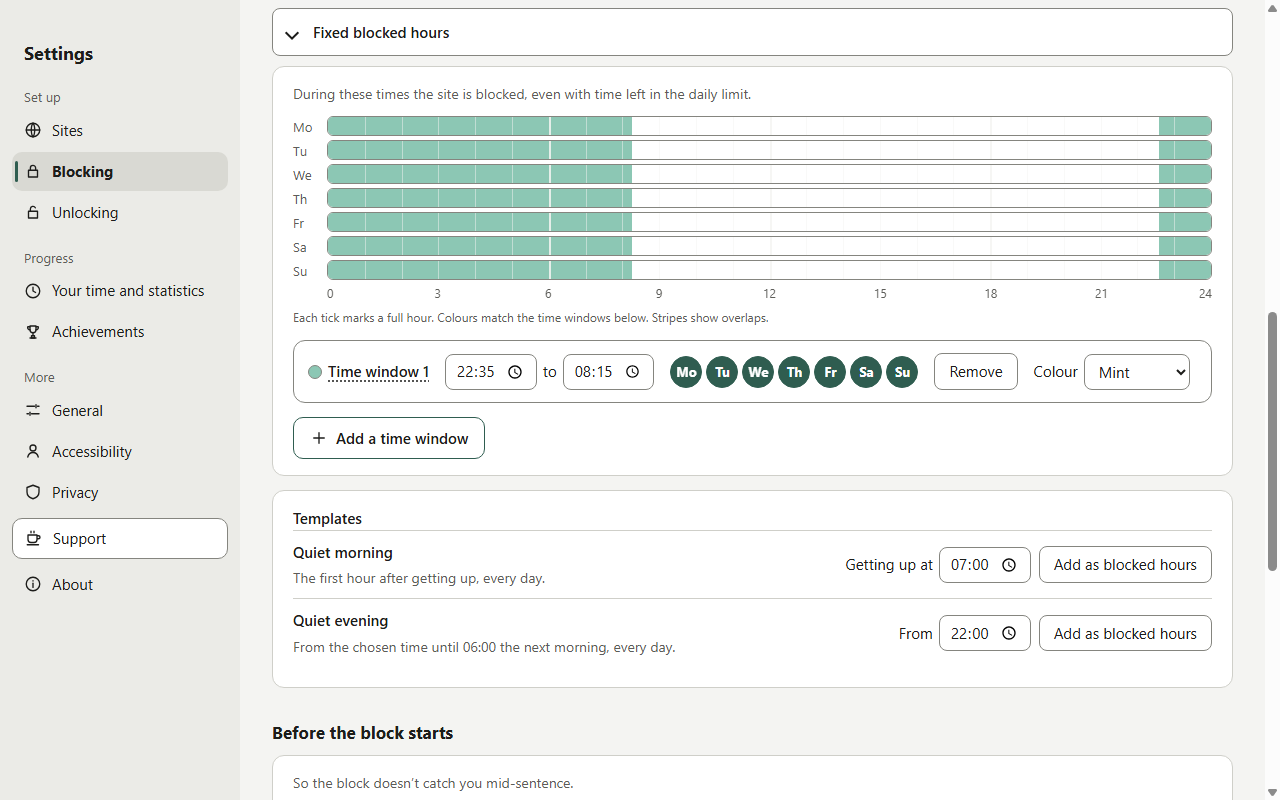
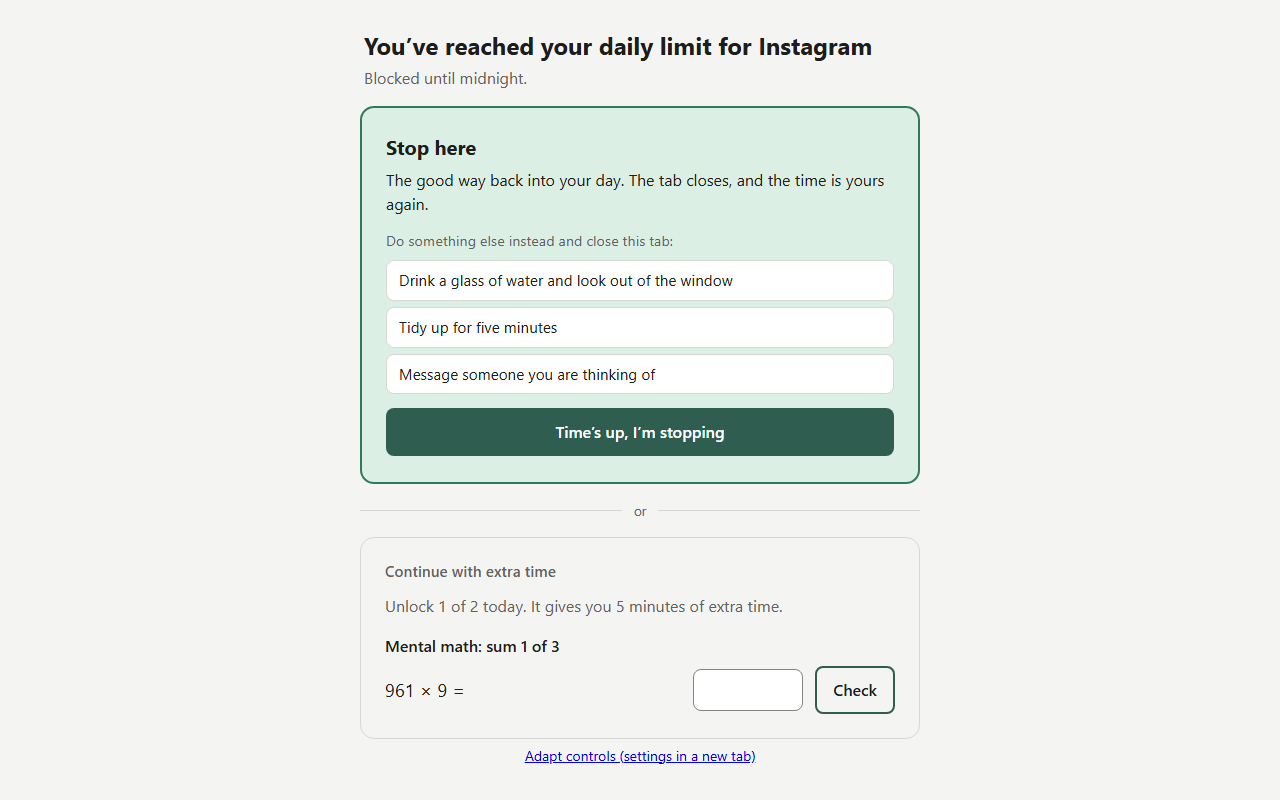
When your time is up
Pagend shows a blocked page when you reach your limit. If you allow extra time, unlock it after a short task such as mental arithmetic, typing a sentence or a breathing exercise. The extra time stays limited.
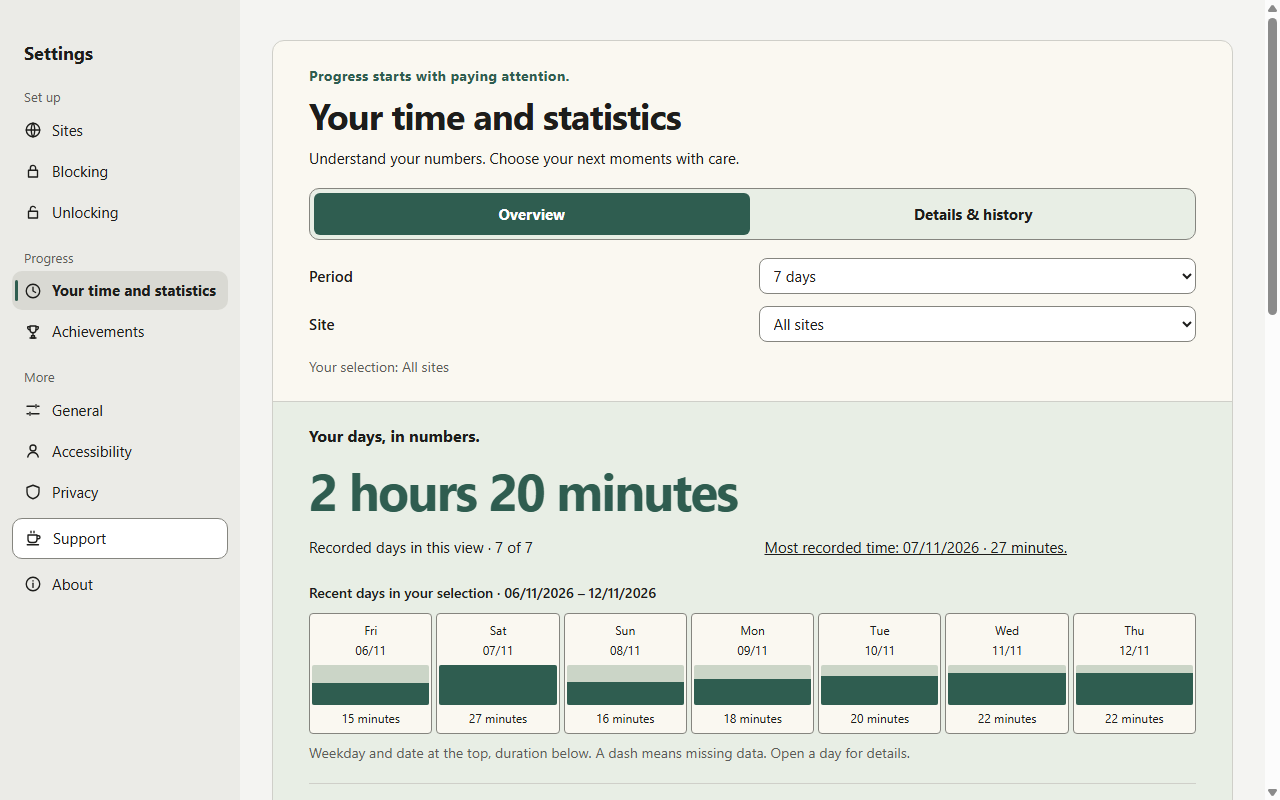
See where your time goes
Statistics show how much time you spend on your enabled sites and how that changes from day to day. A gradual reduction plan can lower your daily limit in steps.
Your data stays on your device
Pagend processes site visits and usage time locally. The extension does not send your settings, usage history or reflections to the developer. There are no accounts, ads or analytics tracking.
Accessibility and language
Pagend supports keyboard navigation with visible focus, Windows contrast themes and reduced motion. WCAG 2.2 AA guides development. The extension is available in English and German and was made in Germany.
Questions or feedback? Email dev@cailev.com.